

Reference

888game App — Your Lobby on Any Screen

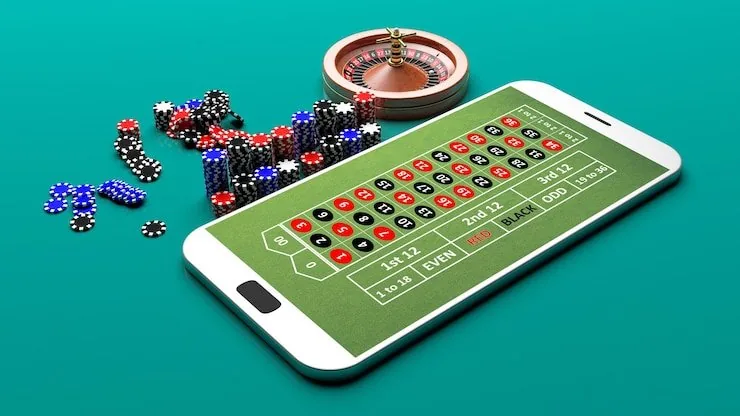
888game runs cleanly through your phone browser — no download required to reach slots, live tables or cricket betting markets.

Mobile browser readyDevice access via 888gameCheck app availabilityAccount works across screensLocal wallet support
888game 888game App — Your Lobby on Any Screen
APP FEATURE SNAPSHOT

Four Things Mobile Does Better

The mobile layout of 888game is built around the way Pakistan players actually use their phones — quick dips, fast logins, and instant access to live tables or crash rounds without waiting for a page to rebuild itself.

Fingerprint Login On supported devices, biometric login replaces the password step entirely. One tap opens your account and lands you straight in the lobby.
Push Notifications Enable alerts and we send a push when a live table opens or a crash round is hot. You pick which alert categories to keep on.
Dark Mode Display The mobile interface switches to dark mode based on your phone settings. Easier on the eyes during late-night Holdem Cutthroat sessions.
Offline Lobby Preview Even on a weak connection, the lobby thumbnail grid loads so you can pick your next game before the stream fully connects.
888game Inside 888game Mobile — Features That Count

Inside 888game Mobile — Features That Count

Open 888game on your phone and the lobby loads the same titles you'd see on desktop — Crash ShockWave, Teen Patti Luck, live baccarat tables from Evolution and slots by Pragmatic Play. What the mobile experience adds is speed for returning accounts: saved login, push alerts when a promotion is live, and a quick-deposit row that surfaces your JazzCash or Easypaisa wallet

without navigating menus. Fingerprint login is available on supported Android and iOS devices, cutting the sign-in path to one tap. The betslip for cricket markets travels with you too, so PSL match selections stay open while you switch between the sportsbook and a crash round.
888game Mobile Access in 3 Steps

Mobile Access in 3 Steps

Getting into 888game from your phone takes under a minute. You do not need an app store or an APK file — the site is built to work in your existing mobile browser. Players in Karachi, Lahore and across Pakistan reach the lobby the same way: open the browser, go to 888game, and sign in. If a native app build becomes available

for your region, the download link will appear on this page — availability depends on local law and the device platform. Until then, the browser path is the consistent, always-updated route.

  • Step 1 — Open Your Browser — Launch Chrome, Safari or your preferred mobile browser and navigate to 888game. No special settings needed.
  • Step 2 — Check Device Compatibility — The site detects your screen size and switches to the mobile layout automatically. Confirm your browser is up to date for the smoothest load.
  • Step 3 — Sign In or Create Your Account — Enter your credentials or open a new account. Enable biometric login in your account settings straight after your first sign-in.
  • Step 4 — Verify App Availability — Check this page for any native app link. If one is listed, it has passed our availability check for your region and device platform.
DEVICE COMPATIBILITY

Does Your Device Work with 888game?

The browser-based mobile experience covers most phones currently in use across Pakistan. If you're unsure whether your device qualifies for a native app build, the checklist below covers the key access points.

888game Browser Access

Browser Access

Chrome and Safari on current Android and iOS versions load the full 888game lobby, including live tables and crash games, without any additional software.

888game Screen Layout

Screen Layout

The interface scales to portrait and landscape. Live dealer streams from Evolution adjust automatically — no manual zoom required on standard smartphone screens.

888game Account Requirements

Account Requirements

Your existing 888game account works on mobile without re-registration. Wallet balance, deposit history and active rounds carry over when you switch from desktop.

888game App — Frequently Asked Questions

Got a question about accessing 888game on your phone? The answers below cover the common queries about mobile login, device support and what to do if the app is not yet listed for your region.

A native app may be available depending on your region and device. Check this page for any current download link — availability depends on local law and eligible platforms.

No. Your 888game account works across all access points. Sign in with the same credentials on your phone and your wallet balance, history and settings are all there.

After signing in on a supported device, go to account settings and enable biometric login. Your phone's fingerprint sensor handles authentication from the next session onward.

Yes. The mobile deposit flow surfaces your JazzCash, Easypaisa and Raast options in the wallet section. Access depends on your account region and local law.

Live streams from Evolution require a stable connection. Switch to Wi-Fi or a 4G signal if you're on 3G. Closing other apps that use bandwidth also helps the stream settle.

The browser version updates server-side, so you always access the current build without any manual update. A native app, if installed, may prompt you to update through your device's store.
Reference

888game App

Service availability depends on eligible regions and local law. Users should check local rules before opening an account.

Access may be available only where local law permits.